10:42 AM
get freedom
CHANGELOG

what's new

v3.8.0

Oct 14, 2026

Live system broadcasts, in-app announcements, and AI execution suite

Announce new features, community milestones, or critical service updates directly to all Freedom desktop apps in real time. Broadcast banners stream over live Firestore connections with automatic deduplication, local dismissal memory, and actionable one-click deep linking to internal tabs (like Heatmap, Task History, or Settings) and external web links.
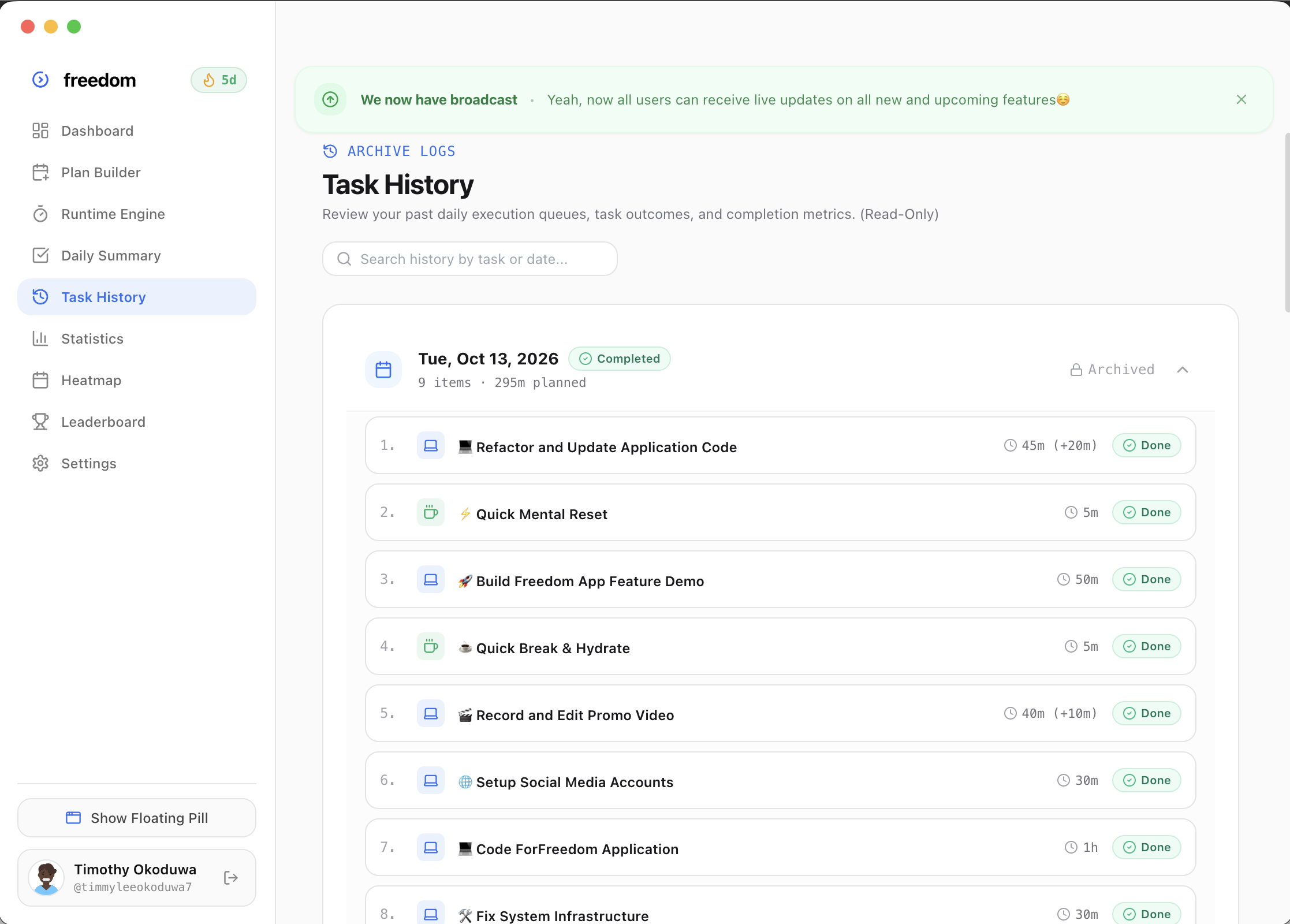
Freedom Desktop Live System Broadcast Banner with Actionable Deep Links

NEW FEATURES

  • Live System Broadcasts & In-App Announcements —Announce new features, community milestones, or critical service updates directly to all Freedom desktop apps in real time. Broadcast banners stream over live Firestore connections with automatic deduplication, local dismissal memory, and actionable one-click deep linking to internal tabs (like Heatmap, Task History, or Settings) and external web links.
    requested by:ebuka@ebuka
  • Prompt-to-Plan Day Planner & Voice Dictation —Turn unstructured brain-dumps, messy task lists, and natural spoken voice memos into structured, chronological day timelines with automatic duration buffers and tags powered by multimodal intelligence.
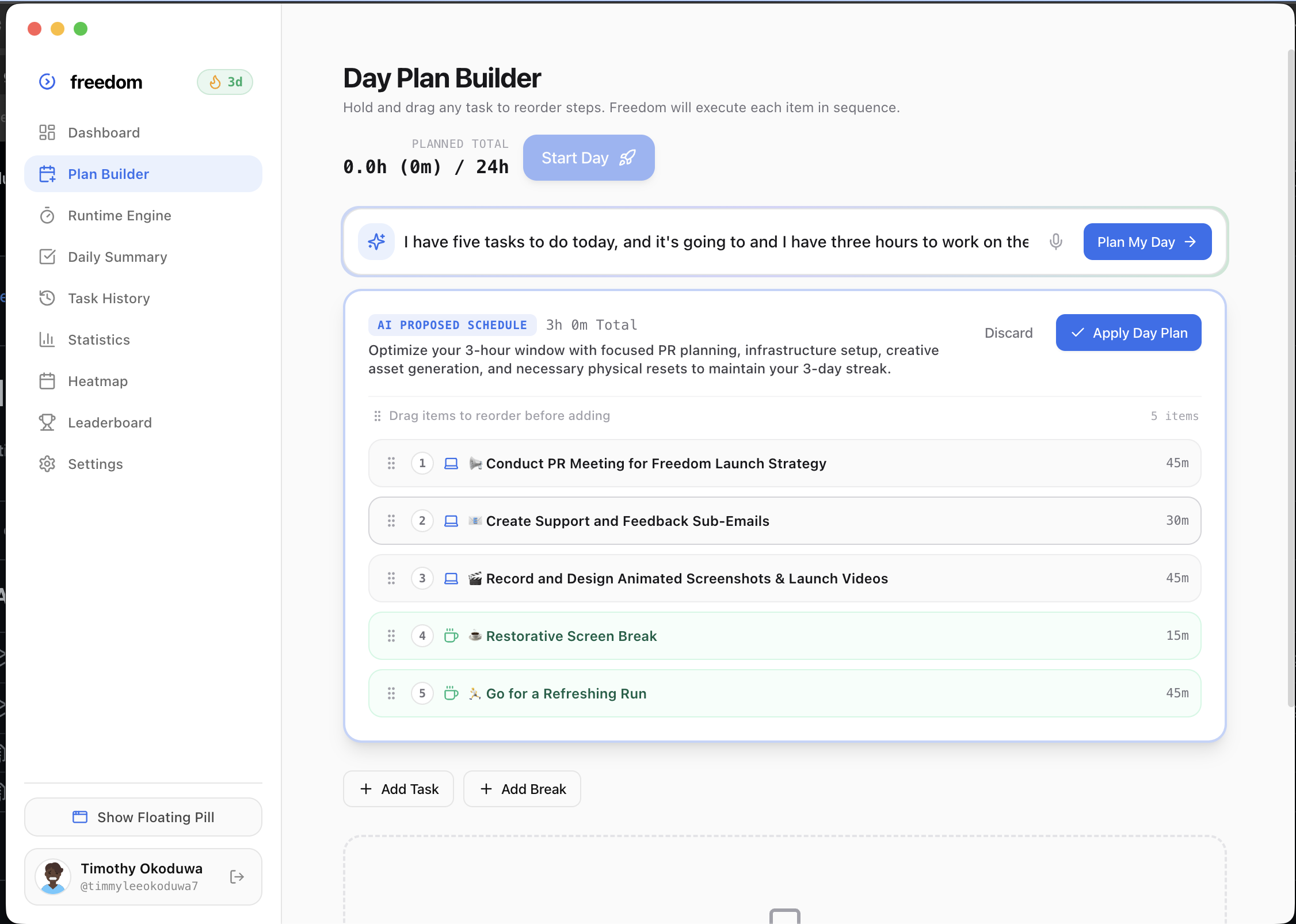
    Freedom AI Prompt-to-Plan Day Planner & Voice Dictation Prompt Interface
    requested by:timmyleeokoduwa7@timmyleeokoduwa7dev_alex@dev_alex
  • Global Crosshair Screen Snipping —Hit the system shortcut from any desktop workspace on macOS or Windows. Freeze-frame and crop Jira tickets, GitHub PRs, Figma designs, or Slack conversations to instantly synthesize them into concrete queue tasks with visual source screenshots.
    Control + Option + Space
    suggested by:marcus_ux@marcus_ux
  • The Day Recovery Engine (Schedule Re-balancer) —When meetings run 45 minutes over or emergencies derail your morning, click “Recover My Day” to intelligently push non-critical tasks to backlog, protect focus blocks, and restore realistic completion milestones without guilt.
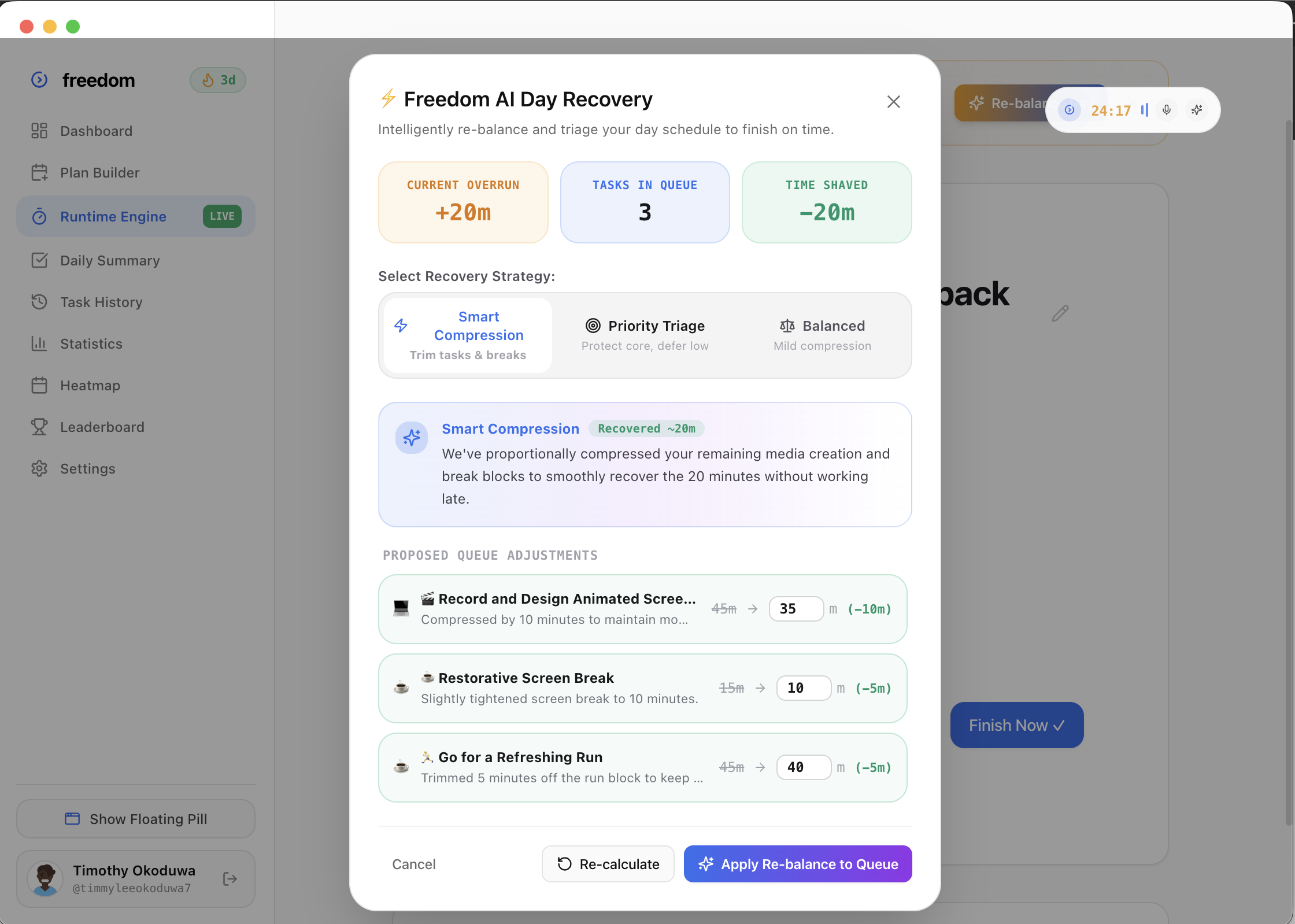
    The Day Recovery Engine Schedule Re-balancer Modal
    requested by:sarah_engineer@sarah_engineerkyle_pm@kyle_pm
  • Historical Calibration Badges & Planning Fallacy Moat —Tracks actual time spent vs. initial estimates across categories. Generates calibrated multiplier badges so future AI day plans automatically absorb your genuine velocity.
    1.4x typical overrun on Backend API
    suggested by:data_dan@data_dan
  • Hands-Free Voice HUD with Multi-Action Chaining —Floating dynamic HUD supporting continuous speech recognition, multi-command chaining (e.g. “add 10 minutes and resume timer”), and accent-tolerant fuzzy parsing resilient to homophones.
    requested by:elena_sound@elena_sound

IMPROVEMENTS

  • Standup & Retro Ghostwriter (4 Agile Tones) —Converts your day’s real execution logs into crisp, bulleted updates formatted specifically for Slack, Discord, Sprint Retro, or Executive summaries with 1-click clipboard export.
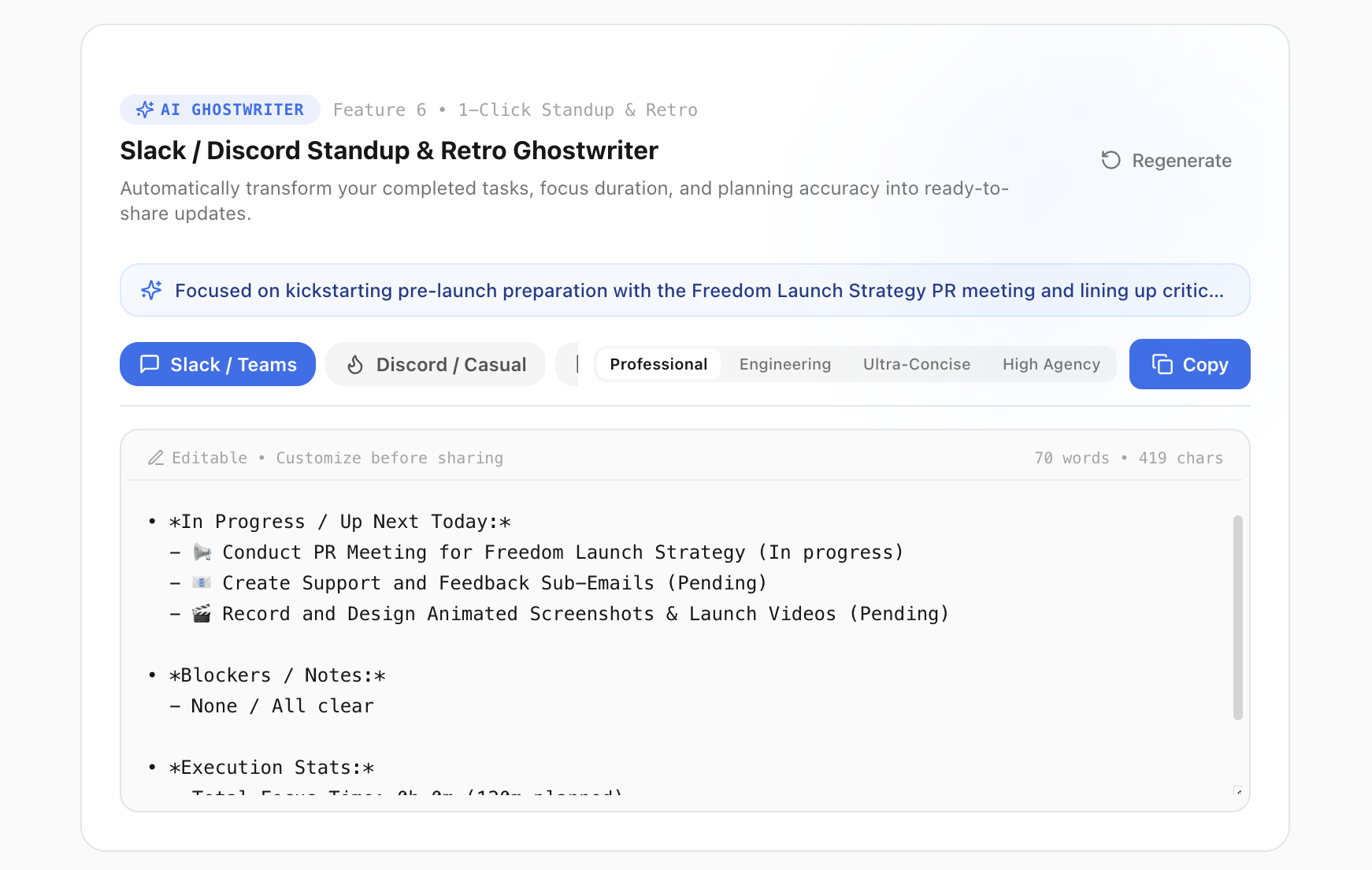
    Standup & Retro Ghostwriter with 4 Agile Output Tones
    suggested by:jason_scrum@jason_scrum
  • Unified v3.8.0 Release Packages & Windows Story Alignment —Rebuilt and synchronized universal macOS (Freedom-3.8.0-arm64.dmg) and Windows 10/11 (Freedom.Setup.3.8.0.exe) packages. Completely aligned Windows availability across the landing page, FAQ, and download portal.
    Freedom-3.8.0-arm64.dmg & Freedom.Setup.3.8.0.exe
    reported by:win_builder@win_buildermac_poweruser@mac_poweruser

FIXES

  • Kokoro Local TTS Worker Model Extraction —Fixed local Kokoro offline text-to-speech engine unpack path to guarantee zero-lag audio chimes when completing execution blocks.
    reported by:audiophile_99@audiophile_99
  • Window Bounds Memory on External Monitors —Preserves exact floating pill X/Y coordinates when unplugging or reconnecting external 4K displays.
    reported by:display_joe@display_joe

COMMUNITY & FEEDBACK

  • Big shoutout to everyone running the beta on Discord and testing early builds. Special thanks to all contributors who filed bug tickets and shaped the voice HUD commands!
    shoutout to:ebuka@ebukatimothy-okoduwa@timothy-okoduwaemilkowalski@emilkowalskicommunity@community
v3.7.0

Sep 28, 2026

Solo Leveling interactive draggable sticker and theme audio engine

Added playful personality and tactile motion to Freedom with draggable anime stickers, contextual audio ducking, and fluid spring physics.

Solo Leveling Draggable Sticker & Audio Engine

NEW FEATURES

  • Solo Leveling Interactive Draggable Stickers —Integrated animated draggable stickers across landing page sections with bounding collision physics and elevation spring physics.
    solo-leveling.gif
    requested by:anime_fan_42@anime_fan_42
  • Solo Leveling Sound Engine & Audio Ducking —Attached custom theme music. Clicking, holding, or dragging the sticker triggers instant playback with automatic background audio volume ducking and smooth release restoration.
    solo-level.mp3
    suggested by:sound_lead@sound_lead

IMPROVEMENTS

  • Multi-Touch Trackpad Pinch Velocity —Smooth trackpad inertia damping so dragging stickers feels tactile on MacBook displays.
    reported by:trackpad_king@trackpad_king
v3.6.1

Sep 24, 2026

Floating pill widget persistence fix and dynamic menu bar tray controls

Addressed floating HUD capsule lifecycle across app restarts and enhanced the macOS and Windows system status bar menu with live execution state.

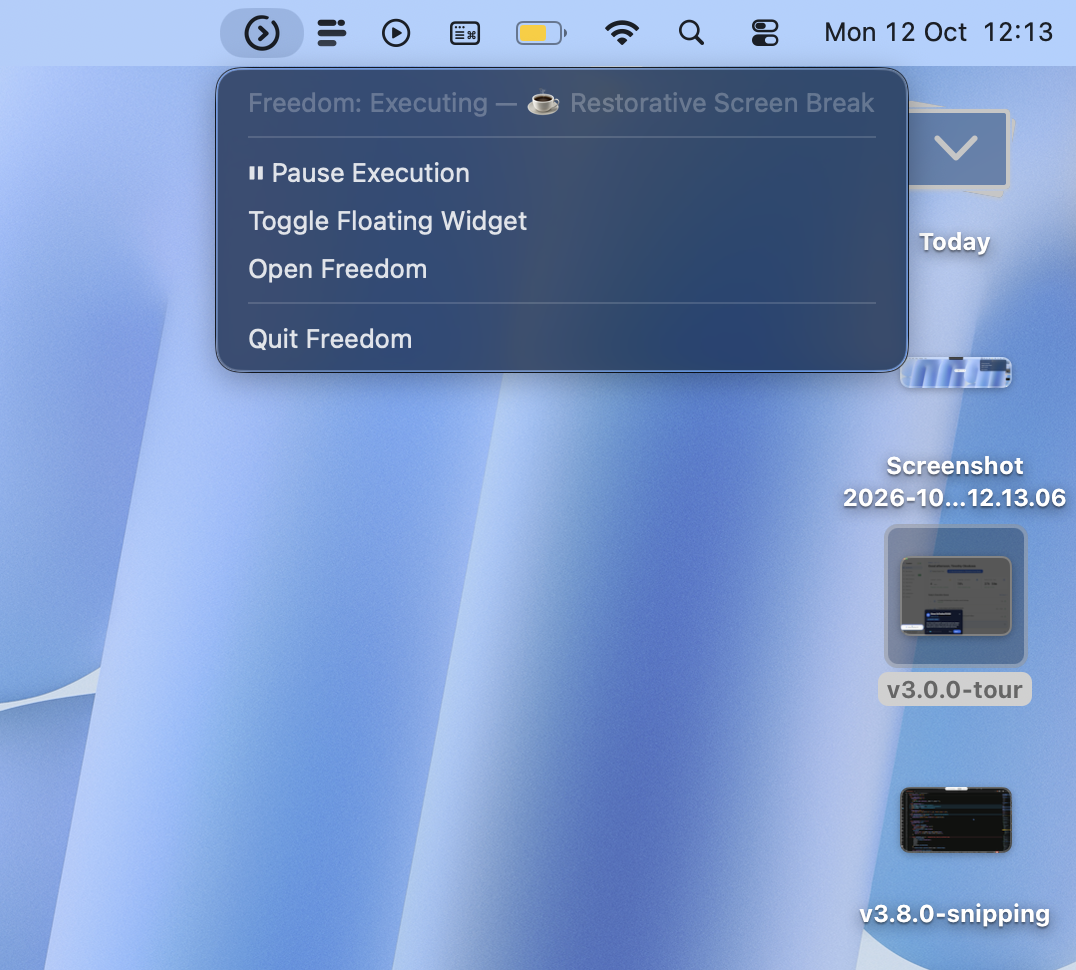
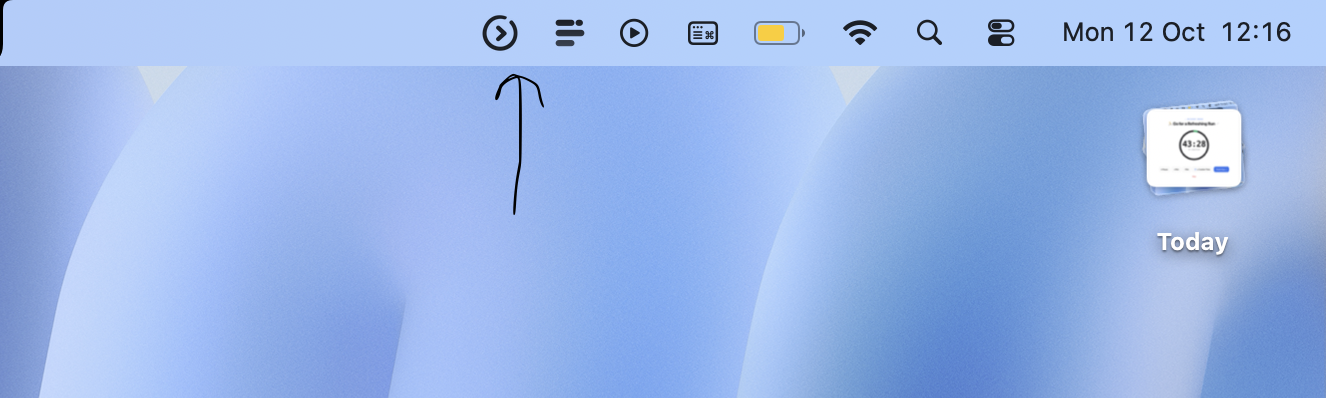
Freedom macOS Menu Bar Tray Controls and Live Execution Menu

FIXES

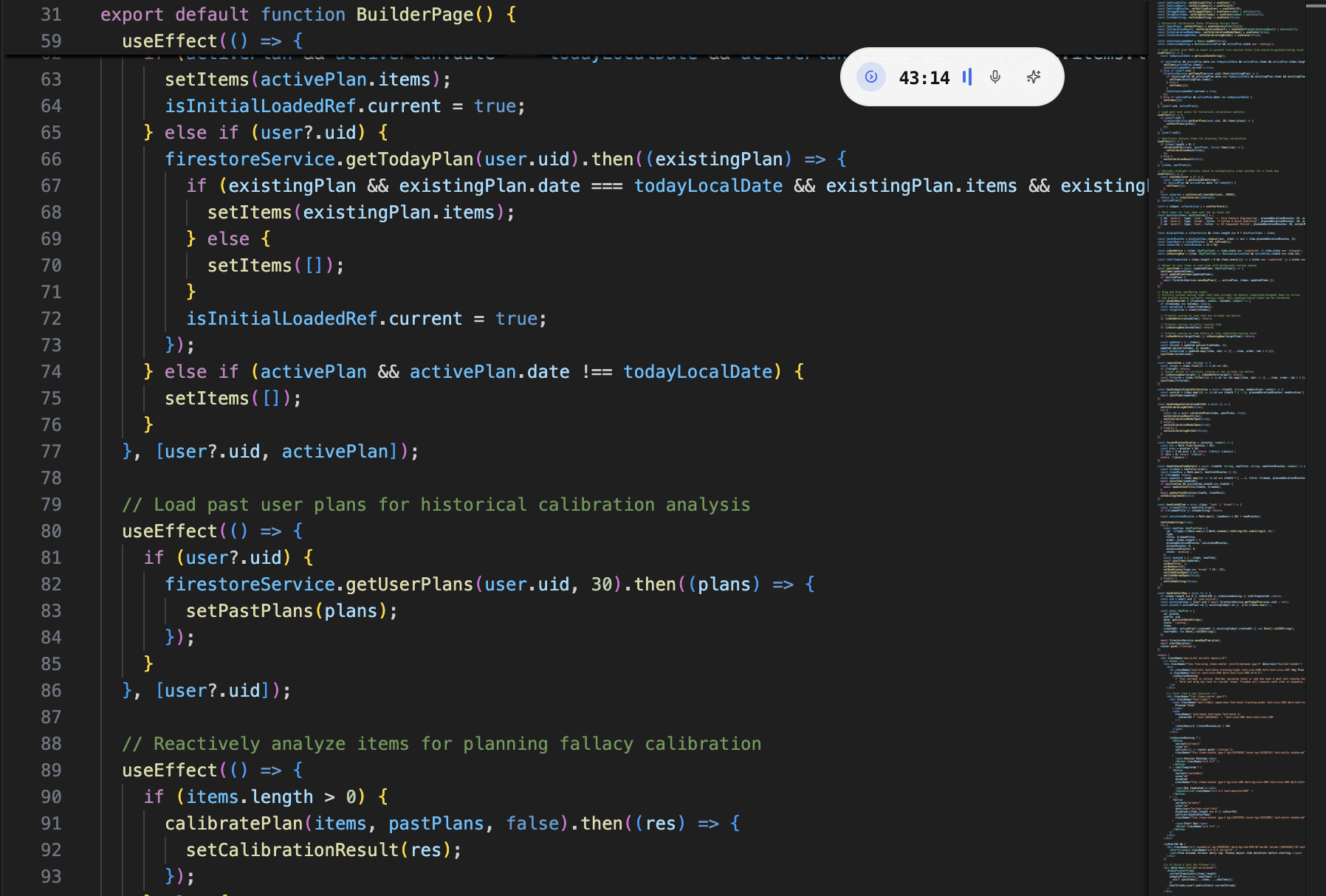
  • Floating Pill Cold-Boot & Resume Persistence —Fixed floating widget persistence lifecycle when pausing tasks, quitting Freedom, reopening the application, and resuming execution. Resuming execution explicitly triggers widget visibility and clears idle hide timers.
    Floating Pill HUD widget persistent overlay on desktop workspace
    reported by:vscode_dev@vscode_dev

IMPROVEMENTS

  • Interactive Tray Context Menu & Live State Sync —Upgraded macOS and Windows status bar menu bar tray with dynamic context menu rebuilding. Displays real-time task status and active Pause/Resume controls directly from the menu bar.
    Freedom: Executing — [Task]
    requested by:menubar_fan@menubar_fan
v3.6.0

Sep 20, 2026

Queued & running task duration editing, plus multi-track audio engine

Gave users precision control over upcoming and in-progress tasks without restarting sessions, plus an interactive music player in the menu bar.

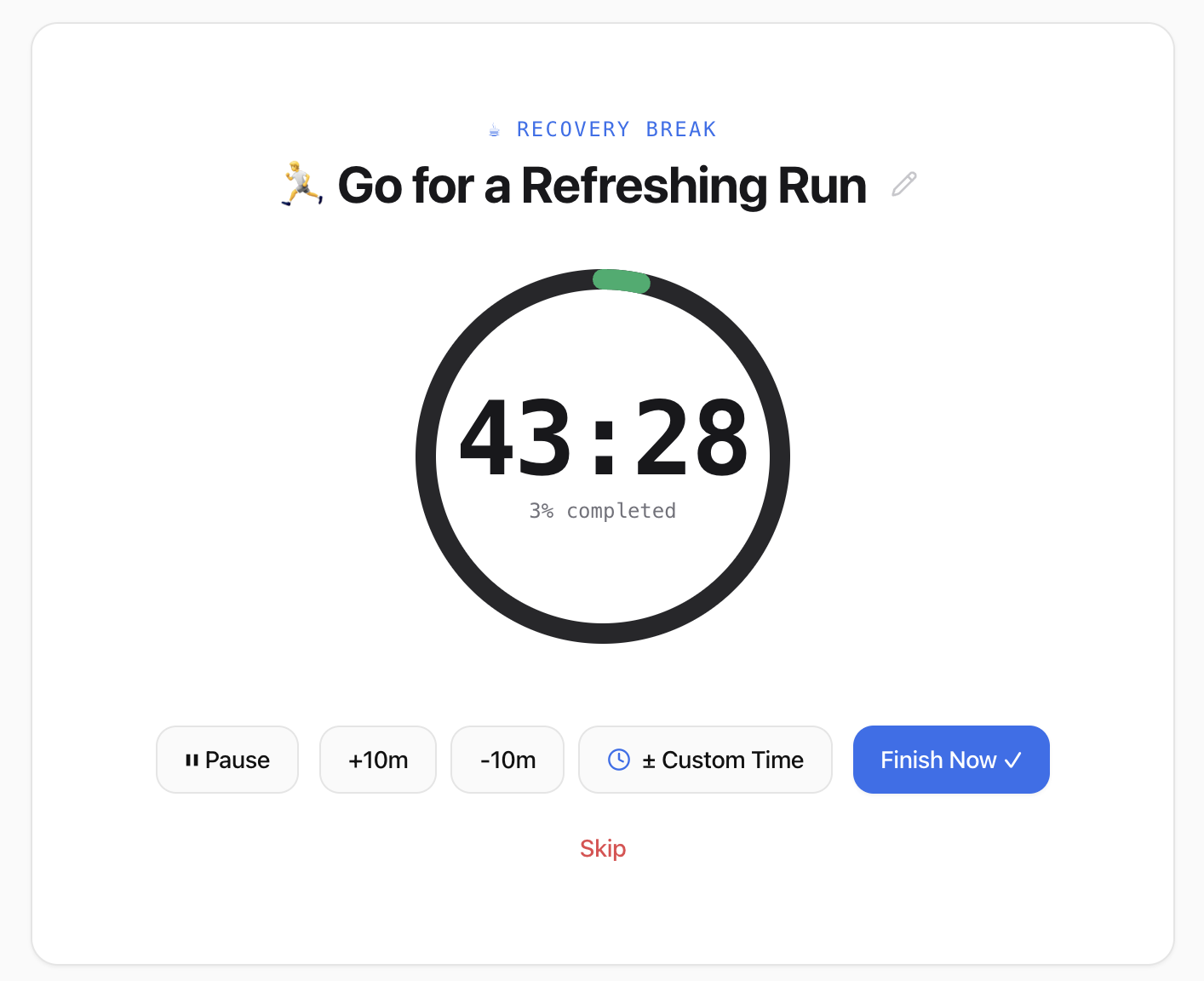
Freedom Runtime Engine Duration Adjustment Controls (+10m, -10m, Custom)

NEW FEATURES

  • Running Task Duration Adjustment (Increase & Reduce Time) —Enhanced active session controls with quick +10m, -10m, and custom time adjustment modes allowing both adding and reducing time on running tasks in real-time.
    +10m / -10m / ± Custom Time
    requested by:hustle_hard@hustle_hardtimer_pro@timer_pro
  • Queued Task Duration Editing —Added full support for editing task duration (hours and minutes) for queued/pending items directly in the Day Plan Builder and Runtime engine preview.
    suggested by:flow_state@flow_state

IMPROVEMENTS

  • Multi-Track Earphone Audio Selector & Mizmo — Hello —Integrated new track Mizmo — Hello alongside Ninajirachi — iPod Touch. Clicking the status bar Earphones icon opens an interactive track selector dropdown.
    suggested by:chill_beats@chill_beats
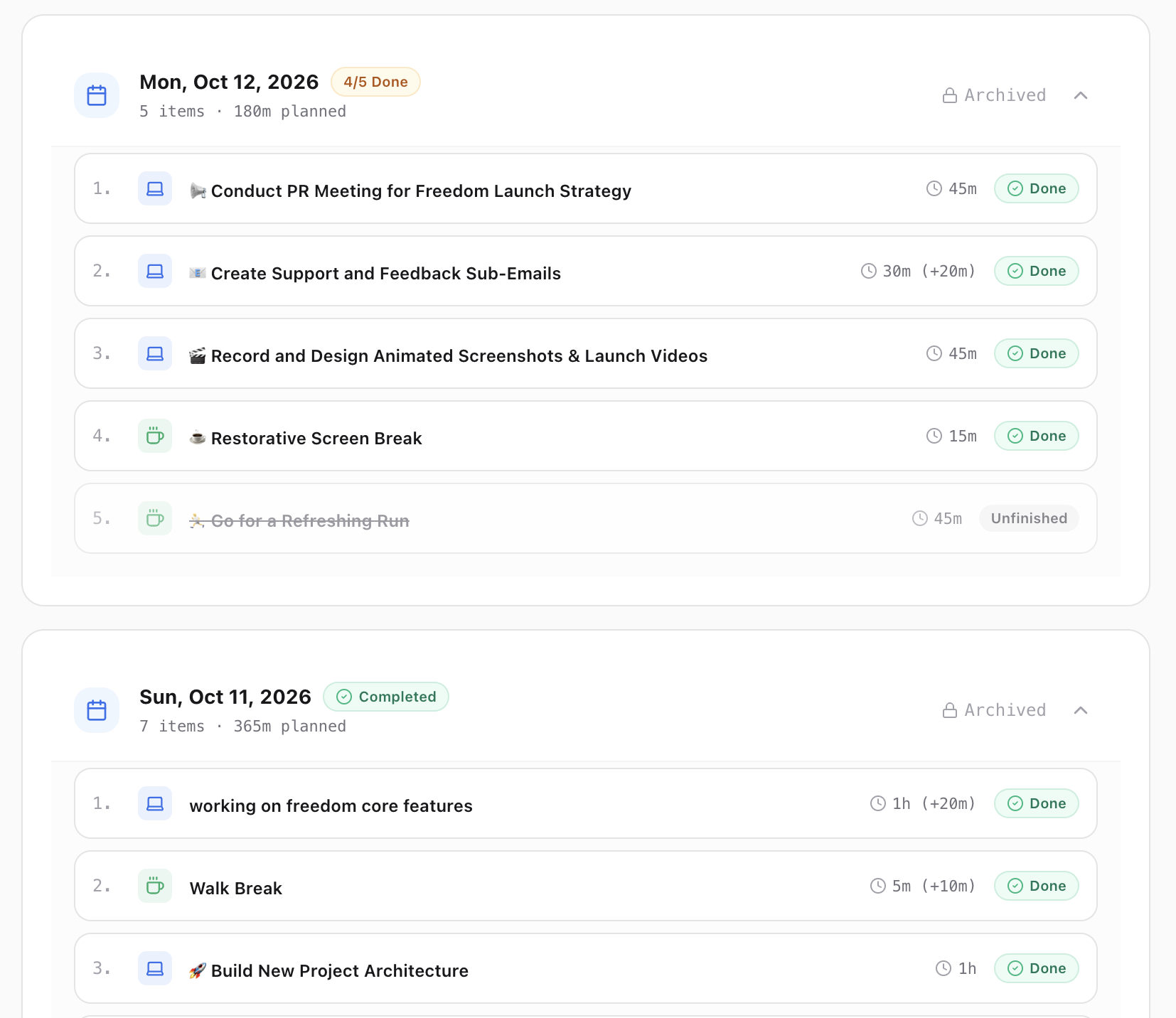
  • Extended Task Duration Persistence —Extended time added to active sessions is now fully preserved upon task completion and accurately saved into actual minutes across History, Statistics, Heatmap, and Firestore.
    reported by:metrics_nerd@metrics_nerd
v3.5.0

Sep 16, 2026

Native Windows setup installer (.exe), OS auto-detection, and dynamic navbar

Brought Freedom to the Windows ecosystem with an official setup executable, automatic platform detection, and tailored onboarding.

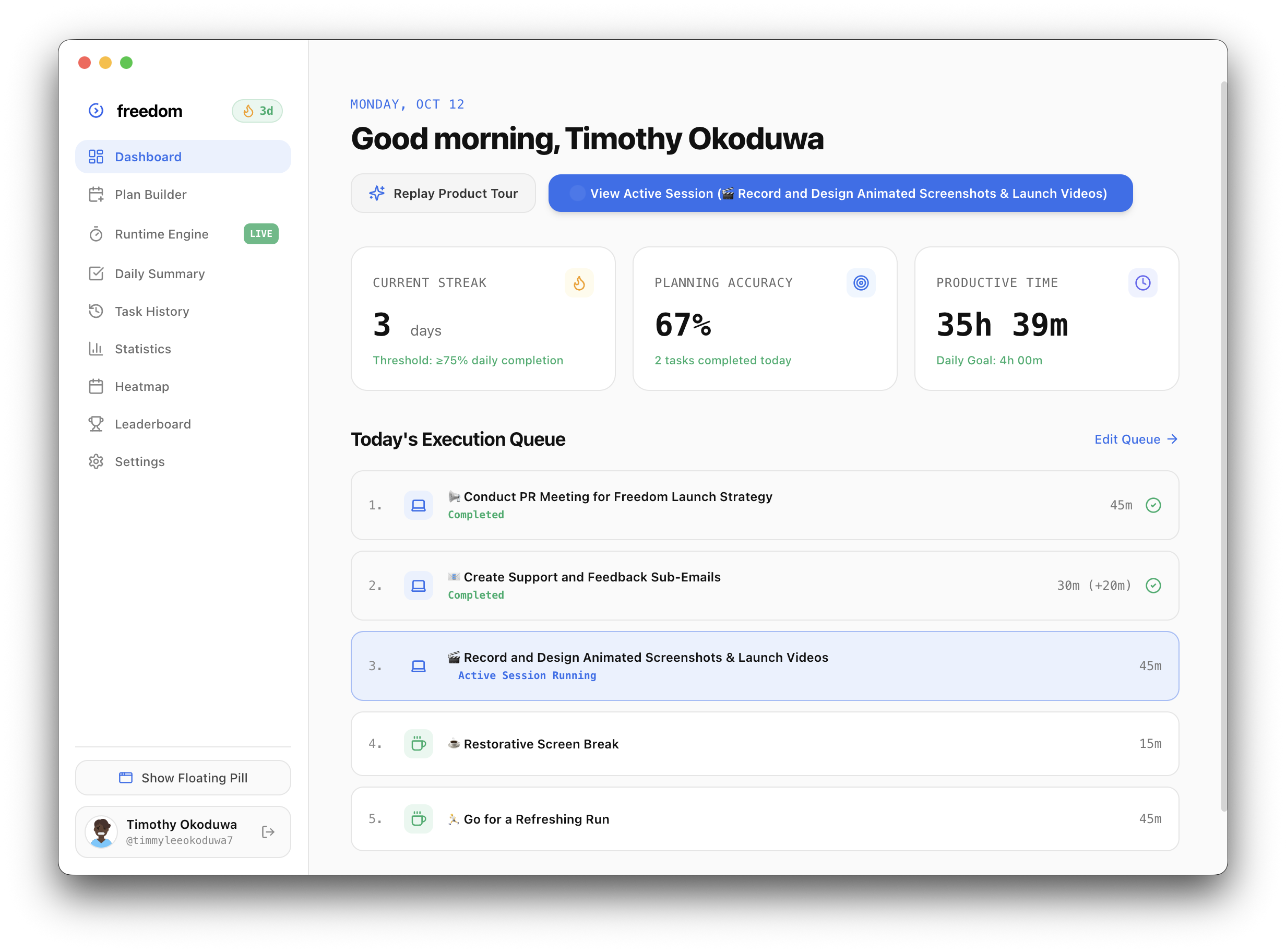
Freedom Desktop App Dashboard with Real Execution Metrics

NEW FEATURES

  • Native Windows Setup Installer —Shipped official Windows release build hosted on GitHub releases with automatic startup configuration and clean desktop shortcuts.
    Freedom.Setup.3.8.0.exe
    requested by:windows_gang@windows_gang
  • Client-Side OS Auto-Detection & Download Routing —Built useUserOS hook. Automatically detects whether the user is on macOS or Windows and triggers the matching native installer download on /download.

IMPROVEMENTS

  • Dynamic OS Navbar Icon —The top navigation bar CTA button dynamically displays the native Apple icon for macOS users and the native Windows icon for Windows users.
  • OS-Tailored Installation Steps —Customized installation steps on /download according to user OS. Completely suppresses macOS quarantine (xattr) instructions when accessed from Windows.
v3.4.0

Sep 12, 2026

macOS status bar monochrome template icon and native dark mode tray

Refined the macOS menu bar footprint to look like a first-party Apple utility, adapting seamlessly between light and dark appearances.

Freedom macOS Status Bar Monochrome Template Icon

IMPROVEMENTS

  • Monochrome macOS Menu Bar Template Icon —Integrated high-resolution black & white logo artwork processed into native 22x22 points and 44x44 pixels Retina template icons.
    trayTemplate@2x.png
    requested by:minimalist_mac@minimalist_mac
  • Native Dark/Light Mode Adaptability —Enabled Electron setTemplateImage(true) on macOS so the status bar icon automatically switches between crisp white in dark mode and crisp black in light mode.
v3.2.0

Sep 04, 2026

HIG-compliant squircle app icon, daily score dial, and redesigned download portal

Re-crafted the app icon strictly following Apple Human Interface Guidelines and launched the objective Productivity Score dial.

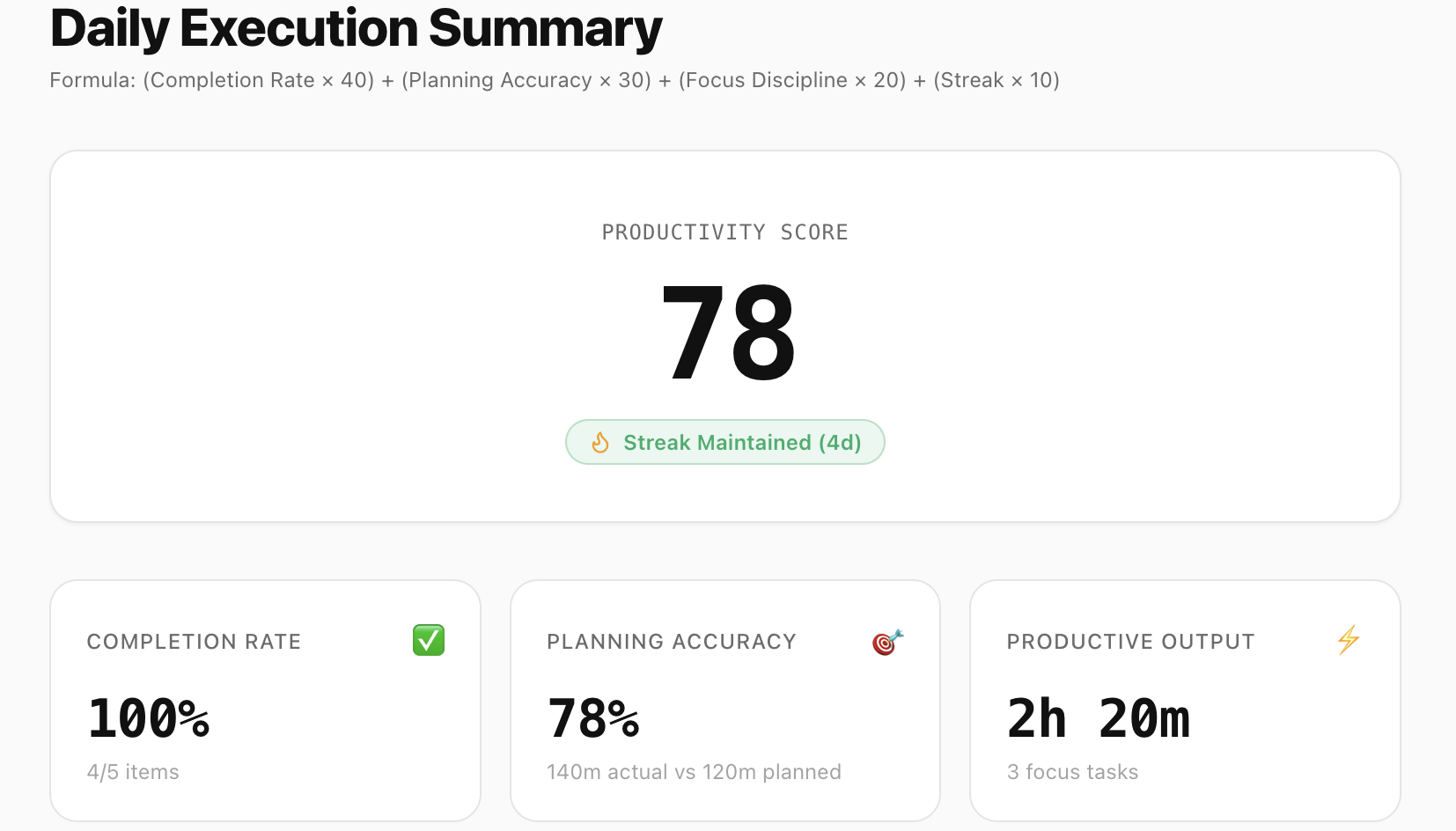
Freedom Daily Summary Score Dial and Planning Accuracy Metrics

NEW FEATURES

  • Daily Productivity Score Dial —Objective algorithm measuring planning accuracy alongside completion, outputting a transparent 0-100 score with streak threshold safeguards.
    requested by:streaker_sam@streaker_sam

IMPROVEMENTS

  • Apple HIG-Compliant macOS & Windows App Icon —Re-crafted desktop application icons adhering strictly to Apple HIG (1024x1024 canvas with 824x824 squircle artwork and 100px padding margin). Ensures native Dock sizing without oversized clipping.
    suggested by:design_police@design_police
v3.1.0

Aug 30, 2026

Mid-task editing, extended time tracking, and auto midnight rollover

Added the ability to edit running tasks on the fly, accurately log overtime extensions, and automatically roll over queues at midnight.

Freedom Task History Table with Planned vs Actual Minutes

NEW FEATURES

  • Mid-Task Title Editing & Custom Extensions —Edit running task titles on the fly during execution and add custom extension time in hours and minutes with instant UI reflection.
    requested by:fast_editor@fast_editor
  • Automatic Midnight New-Day Reset —Active plans and completed task queues automatically roll over and reset at local midnight across Dashboard, Plan Builder, and Electron session state without requiring app restarts.
v3.0.0

Aug 24, 2026

38-step interactive product tour and clamped telemetry overlay

Built a guided onboarding tour that walks new users through every single view, card, and setting with spotlight clipping.

NEW FEATURES

  • 38-Step Interactive Product Tour —Comprehensive walkthrough covering every page, card, button, sub-tab, and input across Dashboard, Plan Builder, Runtime Engine, Daily Summary, Task History, Statistics, Heatmap, Leaderboards, and Settings.
    requested by:onboarding_lead@onboarding_lead
v2.5.0

Aug 18, 2026

Yearly execution heatmap, statistics week navigator, and team admin tools

Visualized long-term consistency with a GitHub-style activity matrix, weekly deep-dive charts, and team administration controls.

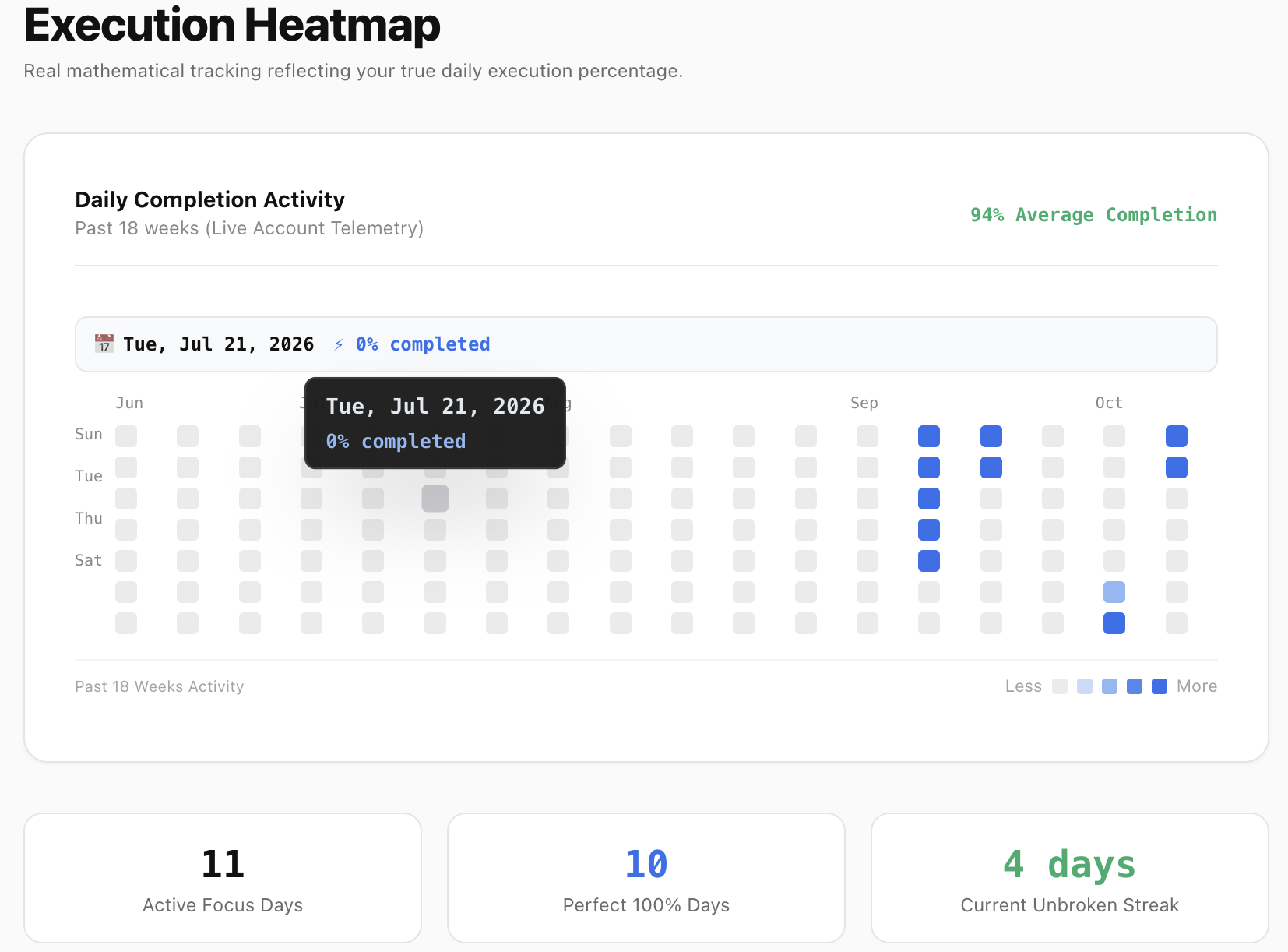
Freedom 365-Day Execution Heatmap and Consistency Streak Grid

NEW FEATURES

  • Edge-Safe Heatmap & Month Headers —GitHub-style month headers and day labels. Smart directional tooltip positioning prevents cut-off or forced horizontal scrolling on top rows or edge columns.
    requested by:github_lover@github_lover
v2.2.0

Aug 10, 2026

The HeyClicky spark, seamless audio transitions, and floating pill drag

Introduced uninterrupted audio across page transitions, freeform pill dragging across multiple displays, and retro visual flair.

NEW FEATURES

  • Continuous Audio Engine —Audio playback of Ninajirachi — iPod Touch now stays playing uninterrupted across client-side page transitions.
    suggested by:music_maniac@music_maniac
v2.0.0

Aug 01, 2026

The automatic execution engine and floating HUD capsule

The foundational launch of Freedom: a calm, non-distracting execution assistant that steps through your daily queue automatically.

Freedom Initial Release: Floating HUD and Queue Runner

NEW FEATURES

  • Automatic Queue Runner —Plan tasks and breaks in the morning. When started, Freedom steps through items sequentially without manual checking or reminder pings.
    shoutout to:timothy-okoduwa@timothy-okoduwa